|
|
|
|
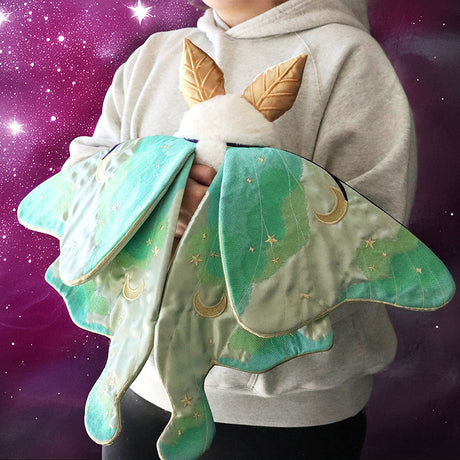
I’ll apologize
right up front about the image to the right. My inner
nerd made me do it...
Still, embroidery
and space. They’re destined to be together! Not, you
know, in an obvious sort of way, but stick with me.
The best embroidery shines with just the right kind of
canvas, and I think some space designs deserve a little
something more...celestial... to live on. Don’t you
think?
Well, if you have a
dark fabric and a little household bleach lying around,
I can show you how to whip up a pair or space pajamas
(or space anything really) in no time.
|
|
 |
 |
|
What do you need? Well, if you’re
awesome like me and always wanted to have an excuse to
say you embroidered some space pants, then a set of PJs
is the perfect thing to try this out on. So, you need:
- A set of PJs, black or dark colored
- Household bleach
- Bleach pen (optional, but fun for detail)
- Scissors
- Pins
- No-show mesh stabilizer
- Brush
- Water
container or nearby sink
- Rubber gloves in case you’ll
be contacting bleach
- Awesome celestial embroidery
design, like this
Pegasus
|
|
|
Basically what we’re doing here is using bleach to create a cool
celestial space effect on our fabric. We’ve used bleach
before to have fun with fabric, and I still find it one of the
easiest ways to modify fabric without messing with dyes...
|
|
So the real trick
to getting the space effect is layering, and wet vs. dry
bleaching.
Let’s start by
laying down our first layer of “space” which we want to
be all glowy and soft... for this effect, first saturate
a large area of your fabric with water. This should be
the same area you plan to add your embroidery later.
Once it’s saturated
with water, drip some large splotches of bleach in with
your brush. Keep it towards the center so it has plenty
of room to bleed.
|
|
 |
 |
|
One thing that’s a little unpredictable
about bleach is what color it will turn your fabric. I
found that blacks often bleach out to a reddish orange
color, which I think is just dandy for space stuff, but
other colors or fabrics might react differently...
Let your bleach sit on your tee for
awhile. You should start to see it working. Now, for a
more focused, “star” pattern, put some more bleach on
your brush, and then flick it on to your fabric, so it
leaves little dots of bleach. You can see those on my
tee outside the water saturated area. Doing this on dry
areas mean you will get small star “dots”. Doing this on
wet or dam areas mean your stars will bleed a bit. Not a
bad effect, just different.
Remember, this ain’t a science, despite
the fact that we’re dealing with outer space here.
|
|
|
Don’t forget about
your PJ pants! Add some water and bleach to those too,
and some splatter stars for good measure.
|
|
 |
 |
|
When you’re satisfied with how far along
this pass of bleach has gone, quickly take your fabric
and dunk it into cold water. (Now’s a good time to put
on those gloves!) Rinse it out really really well. The
bleaching process will ONLY stop once it’s been rinsed
out.
At this point, I would let your fabric dry a
bit. I find the best way to get a good “space” effect is
to layer your bleaching. There are many ways to do this,
however. If you’re looking to add more soft bleeds, then
you can go back in on your fabric while it’s still damp.
If you’re looking for more sharp, crisp bleach effects,
wait until it’s totally dry before you attack it again. |
|
| I was mostly looking for more spacey, blotchy effects, so once my
tee was semi-dry, I saturated an even larger area with water, and
plopped on some more bleach. Don’t forget about that bleach pen! (if
you have one) The scrubber tip is great for adding focused areas of
bleach (especially where your design will go, so it’s nice and
light) and the gel pen tip is great for drawing “star” effects and
such. Don’t forget about your pants either! |
 |
|
As usual, as soon
as your bleach has reached a phase you’re happy with,
dunk it immediately in water. Also remember that a wet
shirt is going to make your bleach marks look darker, so
you might be further along than you think you are.
DON’T leave the
bleach on too long, as it WILL eventually weaken your
fibers.
|
|
 |
 |
|
Once your fabric is rinsed and dry, you
should have some totally spacy fabric that’s now perfect
for a little celestial embroidery. I’m adding two sizes
of the same
Pegasus design, the large one at the bottom of my
tee, and the small at the bottom of the pants leg. It’s
kinda a fun way of creating a “matching set” for your
PJs.
|
|
|
If your apparel is
not hoop friendly yet (like my pants leg) use your
scissors and cut up along one side seam. You only need
to cut about 6-7 inches or so in order to open it flat
enough to hoop.
I managed to hoop my shirt
without cutting it up, but it all depends on your PJs. |
|
 |
 |
|
Hoop up your design with your stabilizer
(again, I’d recommend a no show mesh, something soft
against your skin!) Set it to stitching.
|
|
|
When you’re done
unhoop and carefully cut away your excess stabilizer.
|
|
 |
 |
|
If you had to cut up your PJs, turn them
inside out, and pin together the side you cut open. Sew
a seam along the edge to stitch it closed again, good as
new.
|
|
|
Here’s how the
final pieces look bleached, embroidered and stitched
back together.
|
|
 |
 |
|
Now you have a totally rad set of custom
jammies, space-ified with bleach and embellished with
beautiful
constellation embroidery!
|
|
|
This technique
means you can pick out just the PJs you want, whatever
size, shape and style, and still make them totally your
own with this cool technique.
|
|
 |
 |
|
Bleached out areas give you the perfect
celestial canvas for your design, allowing them to
really pop on your fabric.
Best of all, this can work on anything
you can bleach and hoop... bags, hoodies, scarves, tees,
onsies. The effect is color safe since it’s just using
bleach, no dyes!
|
|
|
Yup, you and your
space pants can rest easy tonight knowing you made
something super cool and comfy using just bleach and
some awesome designs, on the cheap and with minimal
effort!
Now if you’ll
excuse us, we have some naps to take. These things are
pretty comfy.
|
|
 |
|
Suggested designs for this tutorial:
|
|
|
|